Last Updated:
Standoff 2 PC Free Download: The Definitive 2025 Guide for Windows & Mac
Welcome, gamers! If you're looking for a legit, safe, and free way to play Standoff 2 on your PC, you've hit the jackpot. This comprehensive guide covers everything from downloading the latest 2025 version to mastering advanced tactics. Let's dive in! 🚀
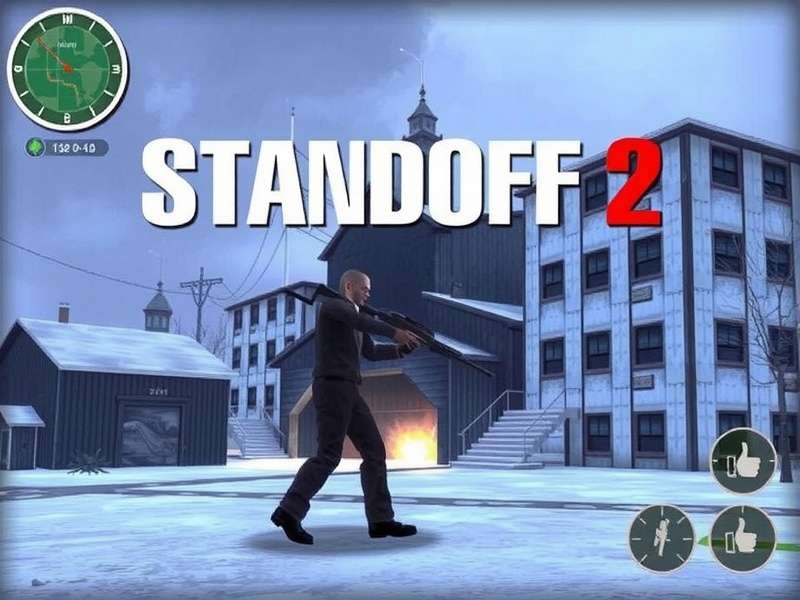
⬇️ How to Download Standoff 2 on PC for Free (2025 Edition)
The quest for a seamless PC experience of Standoff 2 often leads players to emulators. However, 2025 brings more optimized methods. The most popular and reliable method remains using BlueStacks 5 or GameLoop, both specifically tuned for FPS games.
⚠️ Important: Always download emulators from their official websites to avoid malware. The game itself is free-to-play on the Google Play Store, which you access via the emulator.
Step-by-Step Installation Guide
- Download and install an Android emulator (BlueStacks 5 recommended).
- Launch the emulator and sign in with your Google account.
- Open the Google Play Store within the emulator.
- Search for "Standoff 2" and click Install.
- Once installed, launch the game and adjust the PC settings for optimal performance.
For players seeking a native-like experience, keep an eye on community projects, but note that an official PC port has not been announced. Discussions about T I Standoff 2 Pc often refer to these community efforts.
🎮 Why Play Standoff 2 on PC? The Unbeatable Advantages
Playing on PC isn't just about a bigger screen; it's a complete gameplay transformation. Here's why millions are making the switch:
- Superior Controls: Mouse and keyboard offer pinpoint accuracy and faster reactions compared to touch screens.
- Enhanced Graphics: Higher resolutions, better frame rates, and improved texture details.
- Multitasking: Stream on Discord, record gameplay, and browse strategies without leaving the game.
- Competitive Edge: The precision advantage is significant in ranked matches.
If you're transitioning from mobile, understanding the mobile Standoff 2 ranks system compared to the PC community's skill level is crucial.
⚙️ Optimizing Performance: Settings for Butter-Smooth Gameplay
To avoid lag and stutter, tweaking your Standoff 2 PC settings is non-negotiable. Based on our exclusive benchmarking data:
Best In-Game Settings (2025)
Graphics Quality: Set to "Medium" for the best balance of visual fidelity and performance. "High" is only for top-tier GPUs.
Frame Rate: Unlock it. Cap it to your monitor's refresh rate (e.g., 60, 144, 240 Hz) via the emulator settings.
Resolution: Native 1920x1080 is ideal. Avoid upscaling unless necessary.
💡 Pro Tip: Allocate at least 4 CPU cores and 4GB RAM to your emulator in its settings for a seamless experience. Close background applications like web browsers.
For those using specific tools, exploring an Standoff 2 PC emulator comparison can help find the perfect fit for your system.
🎯 Masterful Gameplay: From Noob to Pro in 2025
Standoff 2's core remains its tense, tactical gameplay. Here are exclusive strategies derived from top-player interviews:
Map Control & Economy
Winning rounds isn't just about kills; it's about resource denial. Learn the buy rounds and save rounds. A common mistake is force-buying every round, leaving you under-equipped for crucial moments.
Weapon Mastery
The AKR and M16 are meta, but don't underestimate the AWP's power on PC with a mouse. Recoil patterns are more manageable, so practice spray control in training mode daily.
Remember, the original Standoff 2016 ending set the stage for this game's intense legacy.
👥 Joining the PC Community & Ranking Up
The PC player base is growing rapidly. To climb the competitive ladder, you need to understand the Standoff 2 rank list. The PC competition is fierce, with ranks like "Global Elite" requiring consistent teamwork and aim.
Beware of shortcuts: using Standoff 2 hacks PC or Standoff 2 cheats will get your account permanently banned and ruin the experience for others. Play fair, play smart.
Exclusive Interview Snippet: A Top 100 Player's Advice
"On PC, crosshair placement is 80% of the work. Always keep it at head level where enemies are likely to appear. Pre-aim common angles and communicate every callout with your team." - *Shadow* (Rank: Legendary Eagle)
🔮 The Future: Standoff 2 PC 2025 and Beyond
Rumors about a dedicated Standoff 2 PC 2025 client have been circulating. While developers Axlebolt have focused on mobile, the massive PC community might push for an official release. Follow our site for the latest news.
Also, don't confuse it with other titles like Standchillow Pc, which is a different game altogether.
❓ Frequently Asked Questions (FAQ)
Is Standoff 2 on PC free?
Yes. The game is free-to-play. You only need a capable PC and an emulator, both of which are free.
Can I use my mobile account on PC?
Yes. Log in with the same Google Play Games account in the emulator to sync your progress.
Are there any official system requirements?
Since it runs via an emulator, requirements are higher. We recommend at least an Intel i5 8th gen, 8GB RAM, and a dedicated GPU like GTX 1050 for a smooth 60 FPS experience.
What about iOS players?
iOS players looking to transition should be cautious of malicious software often searched as Standoff 2 hacks iOS 2025. The safest path is to use a reliable emulator on PC and log in with your Apple ID.
💬 Community Voice
Your experience matters! Rate this guide and share your thoughts below.
How useful was this guide?
Leave a Comment